TRXBUBU · Guides
How Long Does a TRC20 USDT Transfer Take? On-Chain Confirmation vs Exchange Credit
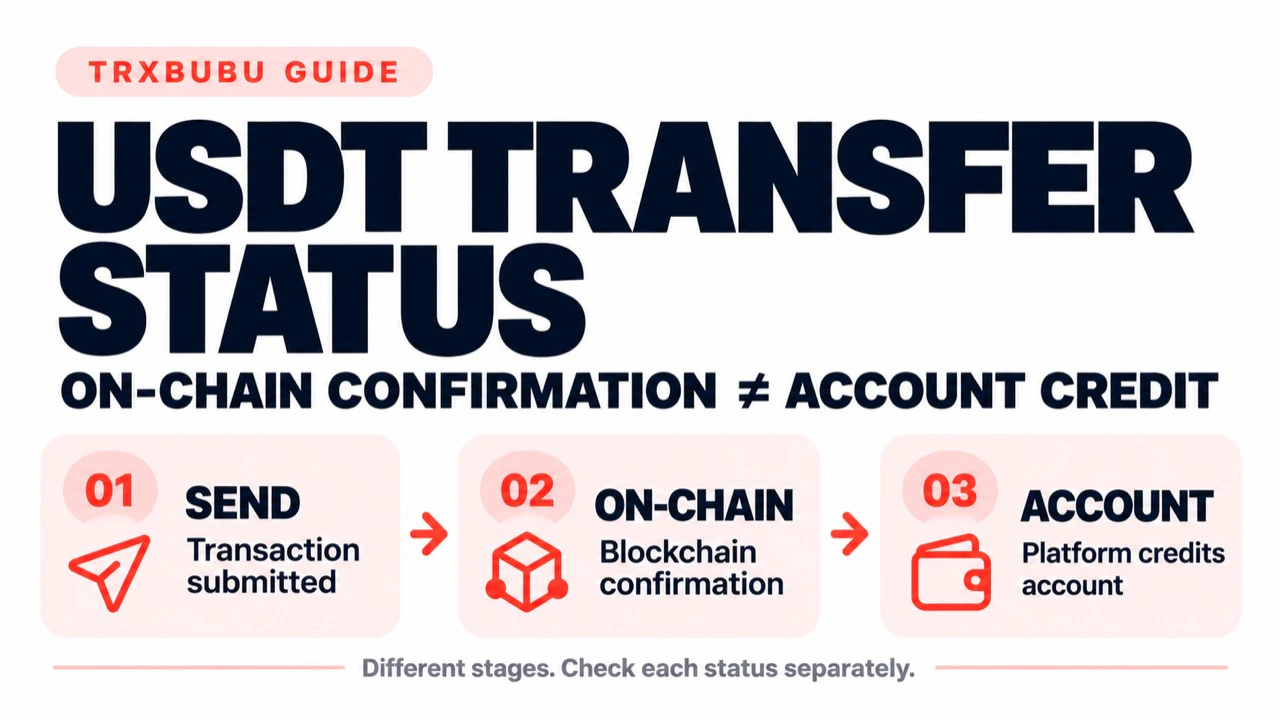
You submitted a TRC20 USDT transfer, but the recipient still cannot see the balance. First separate three stages: submission by the sender, execution and confirmation on TRON, and crediting by the receiving platform. No single fixed number of seconds or minutes can guarantee arrival across all wallets and exchanges.
Published
If you have already sent a transfer, keep its original transaction ID (TXID) and establish its status. An unchanged balance is not a reason to send again.
1. Identify which stage you are waiting for
Submission by the sender. A wallet record or TXID is a starting point for checking the original transaction, not proof of delivery. A TXID can exist before a transaction is broadcast. Even a broadcast response without an error does not establish that the transaction was included in a block or executed successfully.
Execution and confirmation on TRON. Use a trustworthy TRON block explorer to check the original TXID, network, sender and recipient in the actual USDT transfer record, amount, execution result and confirmation status. Do not mistake a contract-call destination for the USDT recipient. Finding a transaction record is not the same as confirming successful contract execution. Confirmation and execution results are separate checks, as explained in TRON's official confirmation documentation.
Credit by the receiving platform. When the recipient is an exchange, its deposit requirements for that asset and network also apply. A successful on-chain transfer and an updated exchange account balance are separate checkpoints. For a self-custody recipient, check the correct wallet account, network and token display instead of applying an exchange's deposit rules.
Block production, final confirmation, wallet display updates and exchange processing should not be combined into one guaranteed arrival time.
2. Check the original TXID rather than guessing from the balance
Get the original TXID from the wallet or platform you actually used. Check it through a trusted official entry point or TRON block explorer. Do not use unsolicited “repair” links or share a recovery phrase, private key or wallet password.
Start with the status you can verify:
Not found or unclear: Check the TXID, TRON network and the sending platform's actual status. A single missing result does not prove the transaction was never included; a query service may not yet show it. Do not create another payment on that basis.
Still awaiting confirmation: Follow the same TXID. Do not resend simply because a display has not changed.
Clearly failed: Review the original execution result and resource use. A failed transfer can still consume resources or TRX, and renting Energy does not automatically resend it. See the transfer troubleshooting FAQ.
Confirmed on-chain and executed successfully: Also verify the recipient and amount in the actual USDT transfer record, and check the correct network and USDT token or contract. For an exchange deposit, compare these with that platform's deposit record and rules rather than treating on-chain success as proof of account credit.
This checklist helps distinguish states. It does not diagnose an individual transaction or guarantee recovery.
3. Why might an exchange balance remain unchanged?
An exchange may apply its own network-confirmation requirements, processing states or manual checks. The applicable conditions depend on the platform, asset and network.
For example, Kraken's official deposit-status guide distinguishes processing, credited, successful and on-hold states. Not every asset uses every state. This is one platform's example, not a universal exchange process or a fixed TRC20 USDT arrival time.
If the on-chain result is confirmed but the platform balance has not updated:
Verify the original deposit address, asset and network against that platform's deposit instructions.
Review its own deposit record and public status page to establish which stage remains outstanding.
If its status or rules call for further assistance, use its official support process and provide only the necessary original transaction information. Do not post complete account details publicly or share private keys or recovery phrases.
Do not send an additional transfer to “push” the first deposit through or pay an unsolicited unlocking fee. The receiving platform must address its own crediting process.
4. Can renting Energy make an already-sent transfer arrive sooner?
Do not treat Energy rental as an acceleration service for an already-submitted transfer or an exchange deposit.
Energy is a TRON network resource used to execute smart contracts. TRXBUBU Rental provides resources; it does not sign your USDT transfer, change an existing transaction's status, automatically resend your USDT or control an exchange's confirmation and crediting process. An Energy-delivery time is not a USDT-arrival time.
For a submitted or unclear transaction, check the original TXID first. Adding Energy does not establish that the original transfer succeeded or that resending is safe.
TRXBUBU Check estimates Energy and Points for a planned transfer from the recipient address's USDT status. It is not a TXID lookup, failure-diagnosis or exchange-deposit tracker. To distinguish a rental payment, resource delegation and currently available Energy, read the TronLink resource-checking guide.
5. Prepare resources for your next transfer
After resolving the original transaction's status, review your sending wallet's Energy, Bandwidth and TRX before making a separate new transfer. Confirm the recipient and current payment requirements. An earlier estimate is not a guarantee for the next transaction.
For occasional transfers, review on-demand Energy Rental. For regular transfers from the same address, you can explore BuBu Points directly without renting first. Active Points plans have minimum usage rules, and initial Energy preparation may use Points. Consider the current terms and your actual frequency.
If you are waiting for an existing transfer, the useful next step is not to buy more resources. Establish whether the original transaction was submitted, what its on-chain execution and confirmation results are, and whether the receiving platform has credited it.
Network, wallet and platform processing conditions can change. This guide does not guarantee a confirmation count, arrival time, successful transfer or recovery. Use the original transaction record and the current official rules of the platform involved.